
Practical Guides
Log in to saveHow to Reduce Cart Abandonment? Practical Methods
8 min read

The practical answer to how to reduce cart abandonment proceeds on two fronts: first, you cut the friction and surprise costs in the checkout flow, then you recover a portion of your lost carts through scheduled reminder emails sent to opted‑in users. The initial measurement and diagnosis take a few hours; the real work spreads across several iterations throughout design, development, and email flow setup. For the definition of the concept, you can check our glossary explanation of cart abandonment, but here you can move straight to implementation.
According to Baymard's extensive dataset, the average cart abandonment rate is approximately 70.22%, and in Türkiye many stores may encounter rates close to this global average. In this article, we're not interested in definitions, but in concrete steps you can take on your own in your own store and where we come into play.
Table of Contents
- What needs to be ready before you start
- Step by step: the process of lowering the rate
- Common mistakes and troubleshooting
- How far on your own, and where we take over
- Frequently Asked Questions
What needs to be ready before you start
Before you set out to reduce cart abandonment, a few things—both technical and organizational—need to be in place. Otherwise, you make changes but can't measure their impact.
- Being able to track cart and checkout steps separately: In your e‑commerce infrastructure (Google Analytics, Shopify, WooCommerce, or a custom system), the add‑to‑cart, checkout‑initiated, and checkout‑completed events must be defined.
- A report or dashboard where you can view cart abandonment data: The platform's own reports or an analytics tool are sufficient.
- Authority to make changes at checkout: You must have access to a person or team who can work on the design and development side.
- A person who knows the consent and data processes: Reminder emails can only be sent to opted‑in users; someone who knows KVKK and commercial message consent management must be involved in the process.
If you want to see which metrics to look at and which mistakes to avoid in short lists, the KPI guides in our practical information section are the right place to start.
Step by step: the process of lowering the rate
The order matters. First measure the leak, then collect the easy wins, and leave recovery for last.
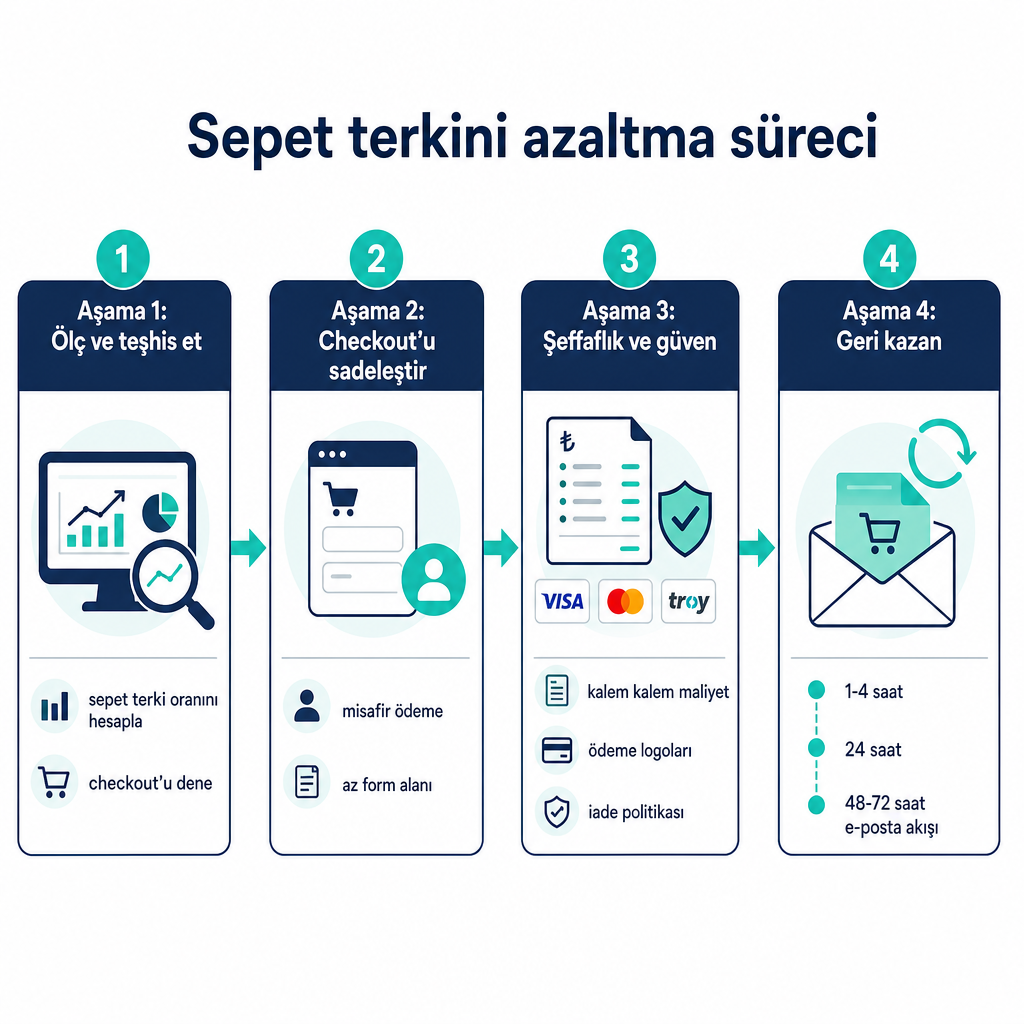
- Calculate your rate and diagnose the current situation. The formula is clear: Cart Abandonment Rate = (Number of abandoned carts / Number of created carts) × 100. Prioritize the severity of the problem by comparing your own rate with the roughly 70% average. Instead of doing this calculation manually each time, you can track it using our free digital marketing tools.
- Try the checkout from start to finish, including mobile, like a real customer. Take notes: Is there a mandatory account creation step? Is the total cost (product + shipping + tax + additional fees) clear at the cart stage? Do the shipping fee and estimated delivery date stay hidden until checkout? Are there more form fields than necessary? Are trust signals visible?
- Remove mandatory account creation, enable guest checkout. Forcing users to register before purchasing is one of the most common reasons for abandonment.
- Reduce form fields to a minimum. Leave only the fields truly necessary for delivery and billing; remove repeated address fields and unnecessary questions like company information.
- Make costs transparent at the cart stage. Show the product total, discounts, shipping, and tax if any, line by line. If you have a free shipping threshold, state it with clear text and show the customer how much is left to reach that threshold. Surprise additional fees are among the leading triggers of abandonment.
- Add trust signals around the checkout. Logos of accepted payment methods, a link to the return and exchange policy, and accessible customer support information (chat, phone, email) make the purchase decision easier.
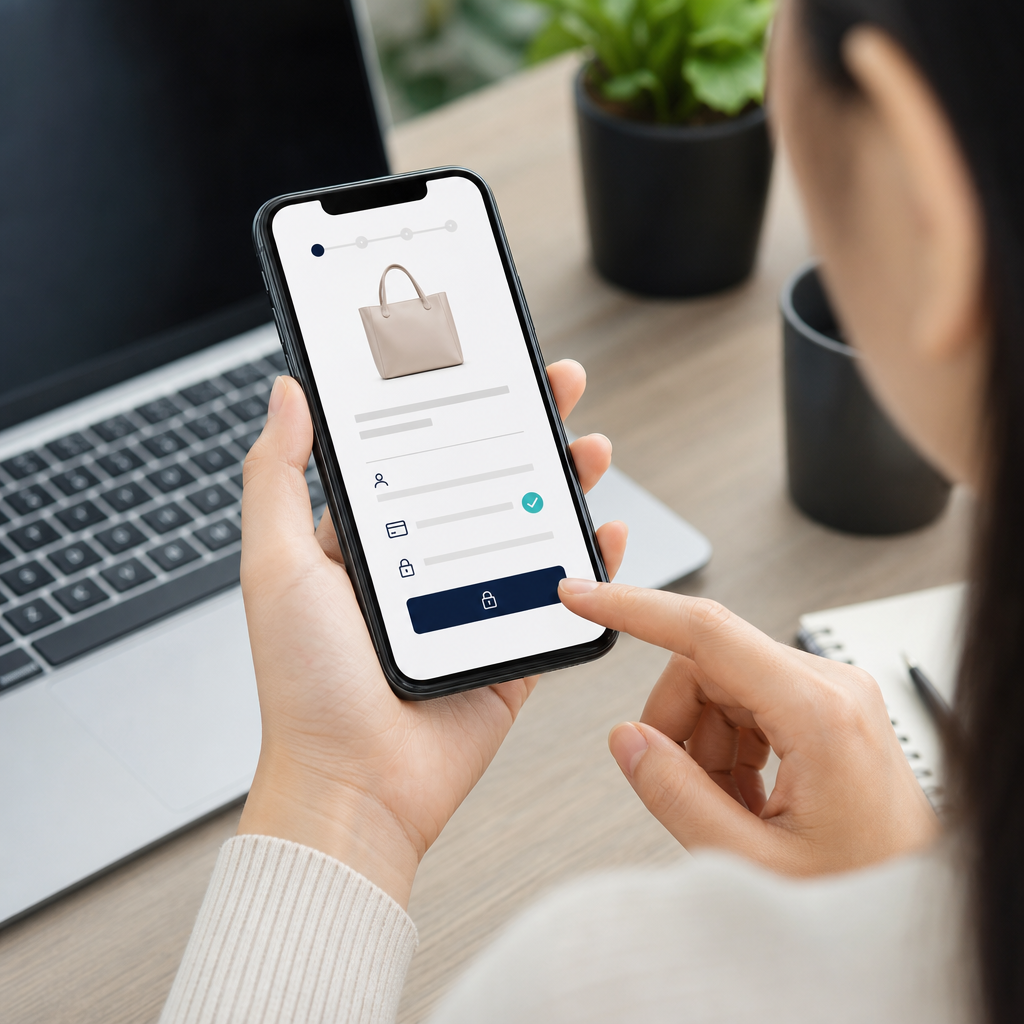
- Simplify the mobile experience. Use a single‑column, full‑screen form; reduce unnecessary pop‑ups and upsells. If possible, offer express checkout options.
- Set up the cart reminder flow for opted‑in users. A commonly recommended three‑stage skeleton is a good start: a simple reminder 1–4 hours after abandonment with product images and a one‑click return‑to‑cart button; trust and social proof elements such as reviews and the return policy around 24 hours; a small incentive or alternative product suggestion at 48–72 hours. Leave the discount for as late as possible.
The division of labor between these two fronts is important. According to commercial sources, prevention tactics (checkout simplification, transparent pricing, trust signals, payment flexibility) can typically pull the cart abandonment rate down by a few points; recovery tactics, on the other hand, can bring back a portion of abandoned revenue. These are not guarantees but directional ranges; the real benefit comes from testing with your own data.
Common mistakes and troubleshooting
The most common problem is making changes without measuring them. If you don't record the rate before and after, you won't know which fix worked.
Other common pitfalls:
- Saving the cost for the last step. Hiding shipping and additional fees until the checkout screen pushes the customer away right at the moment of decision. Show them early.
- Starting every flow with a discount. Keeping the first reminder discount‑free is generally healthier; a store that always uses discounts trains customers to abandon and wait.
- Sending emails without consent. Send reminder flows only to users who have given explicit consent and in compliance with applicable regulations. Skipping consent management carries both legal and reputational risk.
- Not treating mobile as important as desktop. If the majority of checkouts happen on mobile, a form that looks fine on desktop may be generating abandonment on mobile.
When troubleshooting, return to a single question: At which step is abandonment concentrated? If add‑to‑cart is high but checkout initiation is low, the problem is most likely cost or trust on the cart page. If checkout is initiated but not completed, form length, mandatory account creation, or a missing payment method is more likely. If you want to follow new features in payment infrastructures (express checkout, local wallets), you can follow our digital marketing agenda.
How far on your own, and where we take over
You can carry out a significant part of these steps on your own. Calculating the rate, testing the checkout on your own phone, listing friction points, and putting together a priority order don't require technical expertise; they require attention and method. You can also set up the first reminder flow yourself on most platforms with ready‑made email templates.
The limits of the work begin at the following points. Simplifying the checkout and fixing cost display often requires design and development collaboration; it's not a job that one person can finish in a single session, and it spreads across several iterations. Optimizing the email flow through segmentation and A/B testing is also a task that deepens over time. Work that touches the payment infrastructure, the automation platform, or the site's code needs to be carried out with your own developer or platform provider.
At this point, we take over on the teaching and guidance side. We show you which KPIs to look at (add‑to‑cart rate, checkout initiation rate, checkout completion rate, email open and click rate, recovered cart rate), the logic of flow design, and the priority order through our practical guides. After you determine your own store's rate and flag the biggest friction points, we can clarify together which step you should start from. If you share your store's data, the platform you use, and your current cart abandonment rate with us, we'll have set up the right context to suggest a starting plan suited to you.
Frequently Asked Questions
How is the cart abandonment rate calculated?
Formula: (Number of abandoned carts / Number of created carts) × 100. For example, if 700 of 1,000 carts were not completed, the rate is 70%.
What is a good cart abandonment rate?
The global average is around 70.22%. Compare your own rate against this reference and prioritize; instead of a single "ideal" figure, aim to improve on your own historical data.
When should cart reminder emails be sent?
A common skeleton: a simple reminder 1–4 hours after abandonment, trust and social proof around 24 hours later, a small incentive at 48–72 hours. Leave the discount for as late as possible.
Can I send these emails to everyone?
No. You can only send them to opted‑in users who have given explicit consent and in compliance with applicable commercial message regulations. Work with someone who knows consent management.
Should the checkout be fixed first, or should the email flow be set up first?
First measurement and checkout simplification (reducing the leak), then the email flow for recovery. Trying to recover before minimizing lost carts is more costly.